
Your data is not the product
Our business model is subscriptions. MyMilesAI does not sell your location data.
MyMilesAI detects drives on your iPhone, lets you mark each trip Business or Personal, and turns your trips into a mileage log you can export for your records or your accountant.
Automatic drive detection runs in the MyMilesAI iPhone app.

How it works
One focused workflow, from a detected drive to a mileage record you can rely on.
With location and motion permissions on, MyMilesAI for iPhone detects and records likely drives in the background.
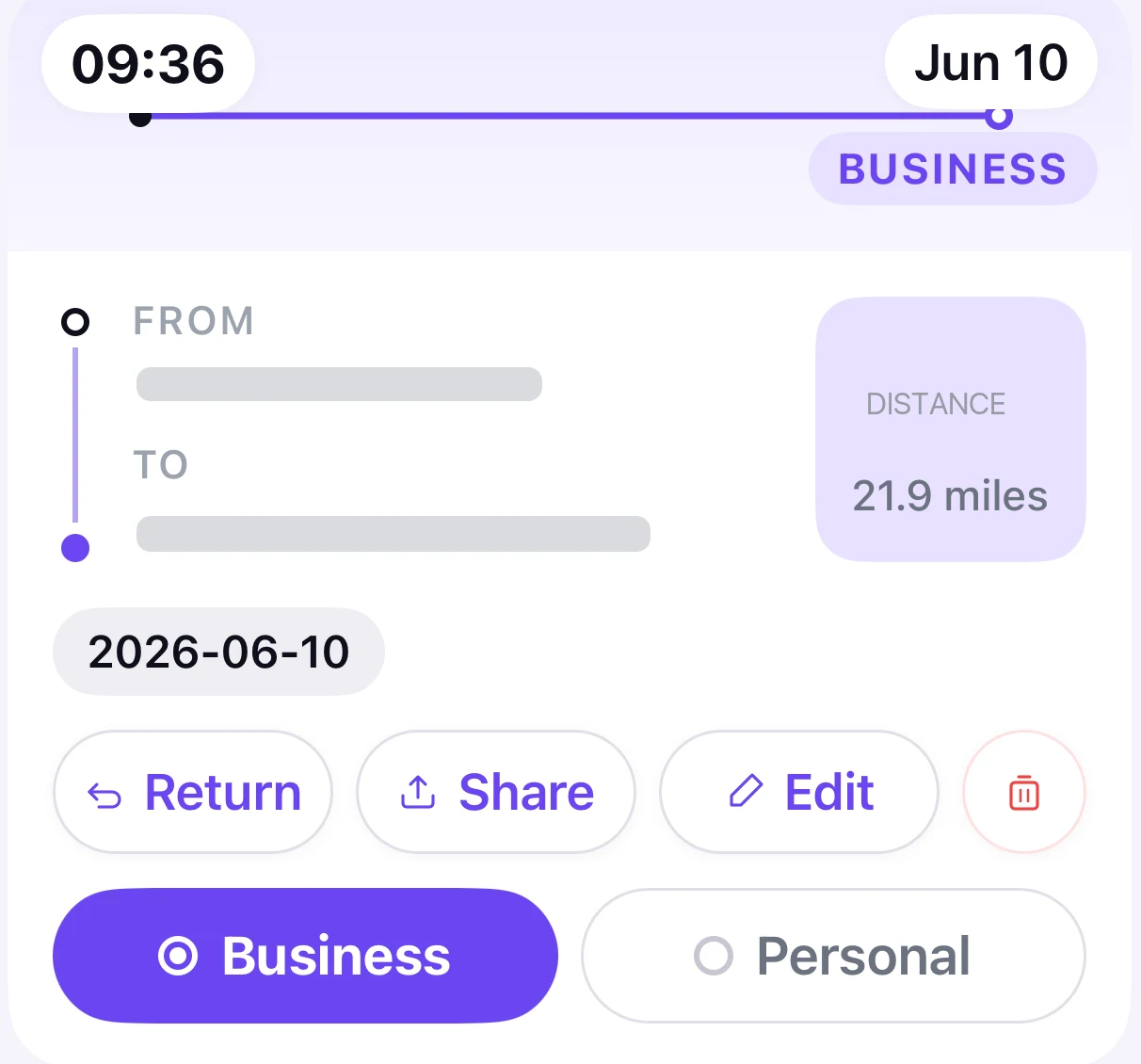
Confirm Business or Personal and add a purpose. Suggestions are made on your device and stay editable.
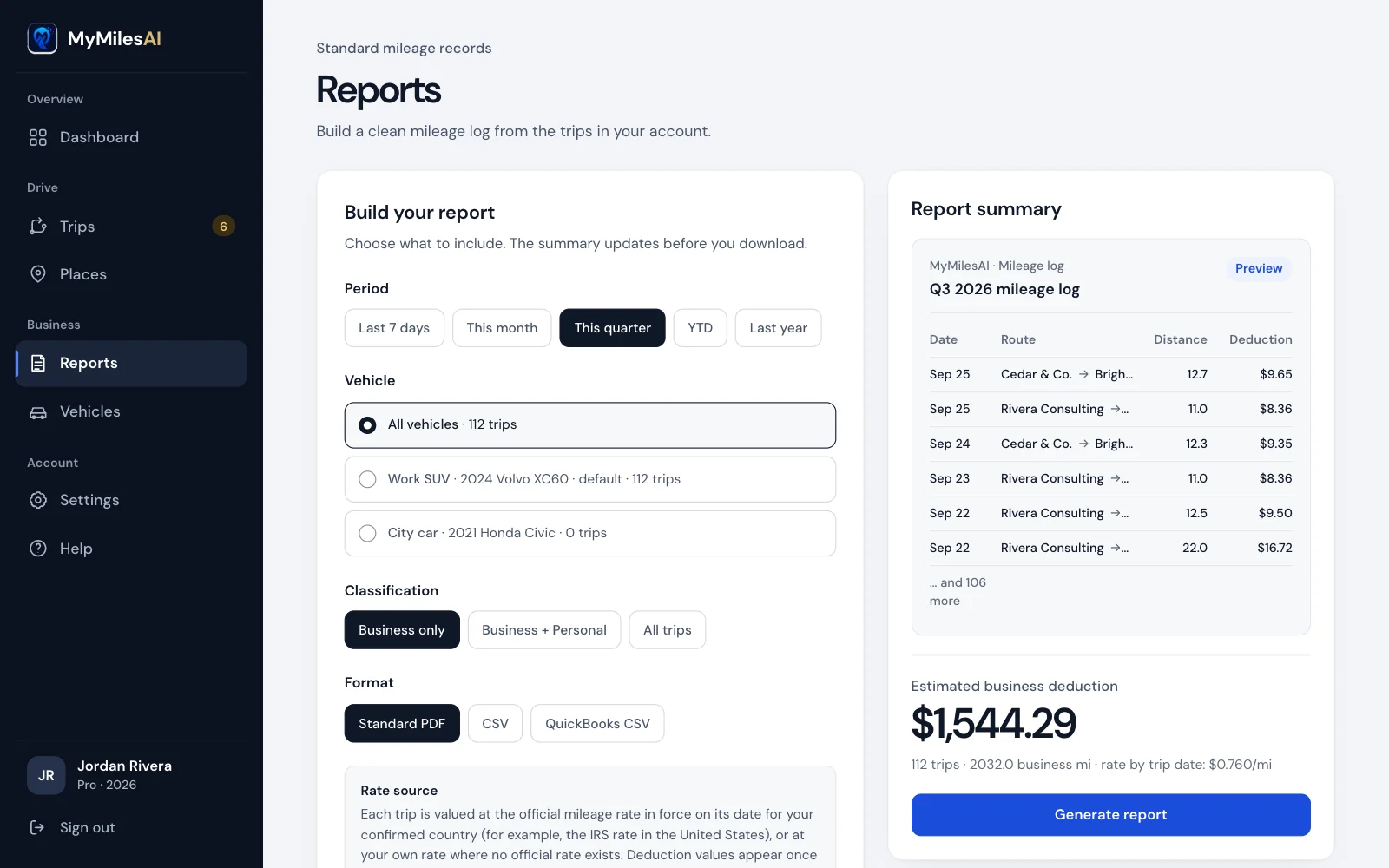
Create PDF, CSV or QuickBooks-compatible exports for your records or accountant. The iPhone app adds Excel.
A note on accuracy: automatic detection depends on iPhone permissions, Background App Refresh, battery state and signal conditions. Review your trip list before relying on any report.
The product
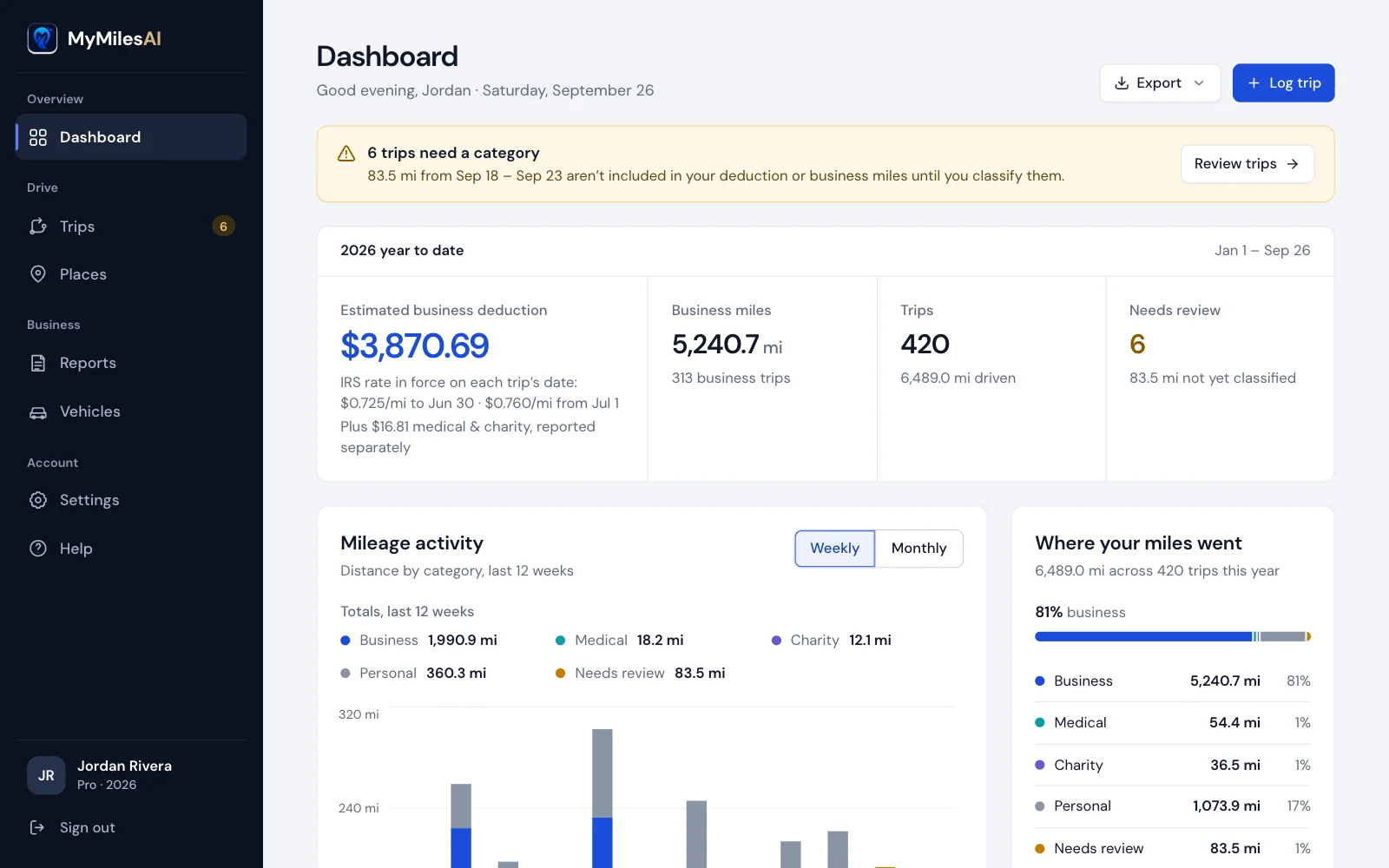
Real MyMilesAI screens, not illustrations. Capture happens on your iPhone; review, reports and settings are also on the web.
See tracking status at a glance on your iPhone, and add a trip manually whenever you need to.
Confirm or correct the suggestion before a trip enters your business log. Add a purpose while you remember it.

The same trips appear in the web dashboard for review, places, vehicles and reports.
The output
Reports include the trip date, route, business purpose, distance, classification and the rate used. You choose the period, the vehicle and the format.
Generated in your browser from illustrative trips. No email required.
Built for
Privacy
Classification suggestions and raw motion-sensor processing happen on your iPhone. Trip records, including route paths, sync to your private MyMilesAI account so the web dashboard and a replacement phone can use them.
On your iPhone
Detection and classification
Raw motion readings stay on the device.
Your private account
Trips, reports and exports
Trip records are encrypted in transit and at rest.
Our business model is subscriptions. MyMilesAI does not sell your location data.
Export your records, delete individual trips, or permanently delete your account.
We publish effective periods with first-party sources. A deduction reduces taxable income; it is not cash savings.
MyMilesAI is built by Harijas LLC. Email support@mymilesai.com.
Rate check · September 2026
Read exactly what is collected, stored and deleted in the Privacy Policy.
Pricing
New accounts are created in the MyMilesAI iPhone app. The MyMilesAI iPhone app, with automatic drive detection, is included with MyMilesAI Pro.
Sign in with the account you created in the iPhone app.
$99.99USD / year
$8.33/month equivalent, billed annually
Eligible new subscribers get a 7-day free trial, then $99.99 USD per year (about $8.33 per month), billed annually through Apple. Nothing is charged during the trial; the annual charge is made to your Apple Account when the trial ends unless you cancel at least 24 hours before the trial ends. The subscription renews automatically each year unless you cancel at least 24 hours before the end of the current period. Cancel on your iPhone in Settings › your name › Subscriptions.
Purchased in the MyMilesAI iPhone app.
How billing worksFAQ
A web account: add and edit trips, classify them Business or Personal, set your rate, and export PDF, CSV or QuickBooks-compatible reports. Automatic drive detection runs in the MyMilesAI iPhone app.
No phone-based tracker can promise that. Detection depends on permissions, Background App Refresh, battery state, and motion and GPS conditions. MyMilesAI is designed to detect likely drives automatically, but you should review your trip list and add or correct anything missing.
Raw motion-sensor readings stay on your iPhone. Trip records, including start and end locations, route path, distance, time, classification and notes, sync to your private account. The Privacy Policy lists everything that is collected.
Creating a web account doesn’t ask for payment details. MyMilesAI Pro is $99.99 USD per year ($8.33/month equivalent, billed annually), purchased in the MyMilesAI iPhone app and billed by Apple.
MyMilesAI Pro is $99.99 per year (about $8.33 per month), billed annually through Apple; the MyMilesAI iPhone app requires an active MyMilesAI Pro subscription or free trial. Eligible new subscribers get a 7-day free trial, and nothing is charged during it; the annual charge is made to your Apple Account when the trial ends unless you cancel at least 24 hours before the trial ends. The subscription renews automatically each year unless you cancel at least 24 hours before the end of the current period. Cancel on your iPhone in Settings › your name › Subscriptions; cancelling stops future renewals and you keep access until the end of the period you have paid for. Payments are processed by Apple, so refunds are decided by Apple at reportaproblem.apple.com. The full subscription terms are on the pricing page.
On the web: PDF, CSV and QuickBooks-compatible CSV; the iPhone app adds Excel. Built-in official mileage rates cover the US, Canada, the UK and Australia. In other countries you enter your own rate, and every rate stays editable.
New accounts are created in the MyMilesAI iPhone app.